Marks

Manage learner’s Marks, from capture to reports

Set up subjects, capture marks, calculate and report on learner performance all in one place
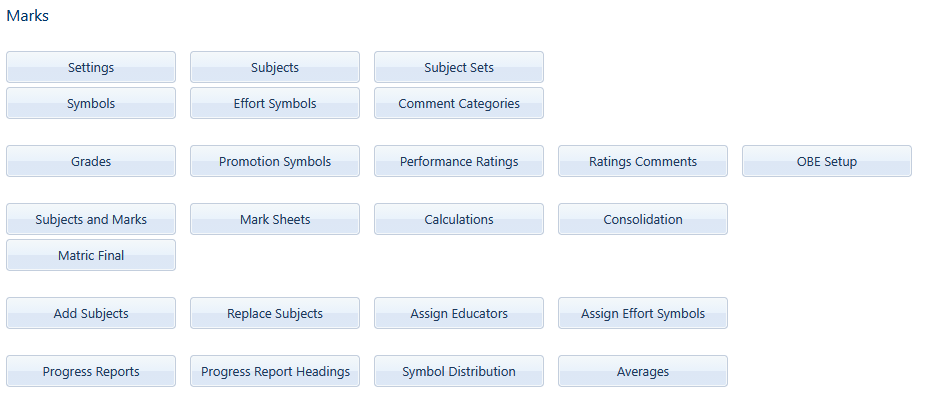
Marks - marks menu is located under Assessment, marks in saspac.net

Adjust various Mark Settings to suite your needs.

Create up to 20 Cycles, with custom names.
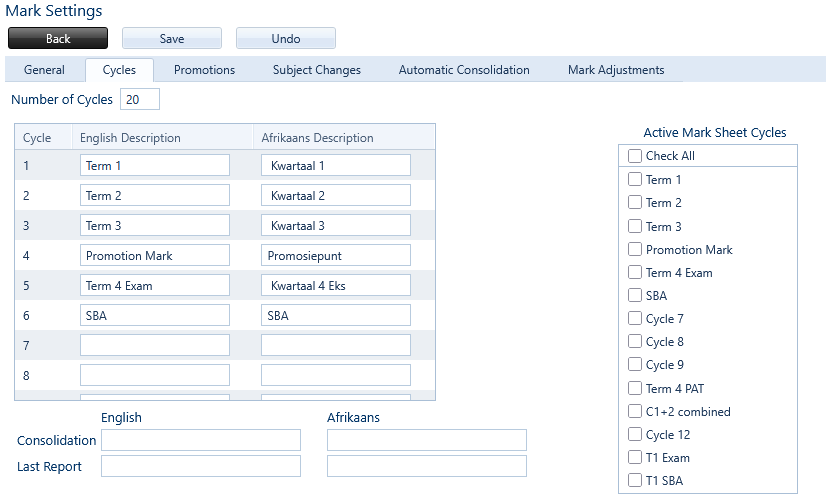
Marks - create up to 20 cycles in Marks settings

Create new Subjects and manage a range of settings for existing subjects. From determining their position on report cards to selecting whether they should be exported to SA-SAMS

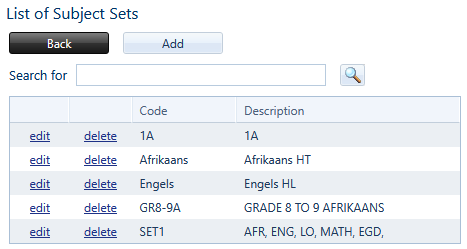
Add a group of subjects into a single Subject Set, which can be quickly be assigned to new learners.
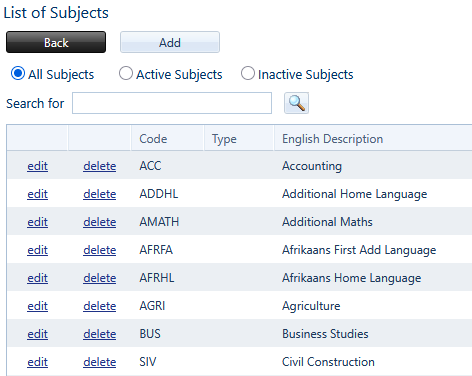
Screenshot of a computer interface displaying a list of subjects with options to edit or delete, including codes, types, and descriptions like Accounting, Additional Home Language, Additional Maths, Afrikaans First Add Language, Afrikaans Home Language, Agriculture, Business Studies, and Civil Construction.
Screenshot of a webpage titled 'List of Subject Sets' with options to add, search, and links to edit or delete subject sets including Afrikaans, Engels, GRADE 8 TO 9 AFRIKAANS, and others.

Easily enter a Learner’s Marks for each term.

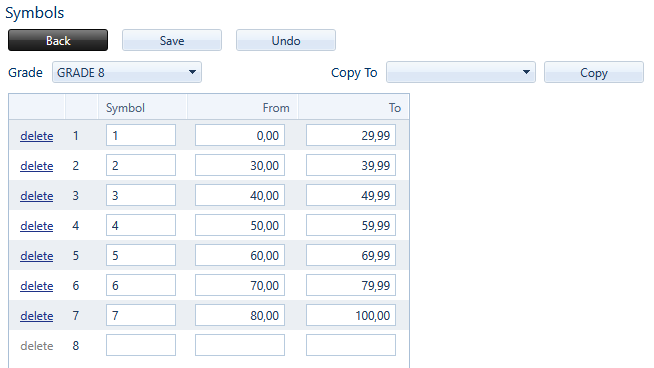
Set up Symbols for each grade.
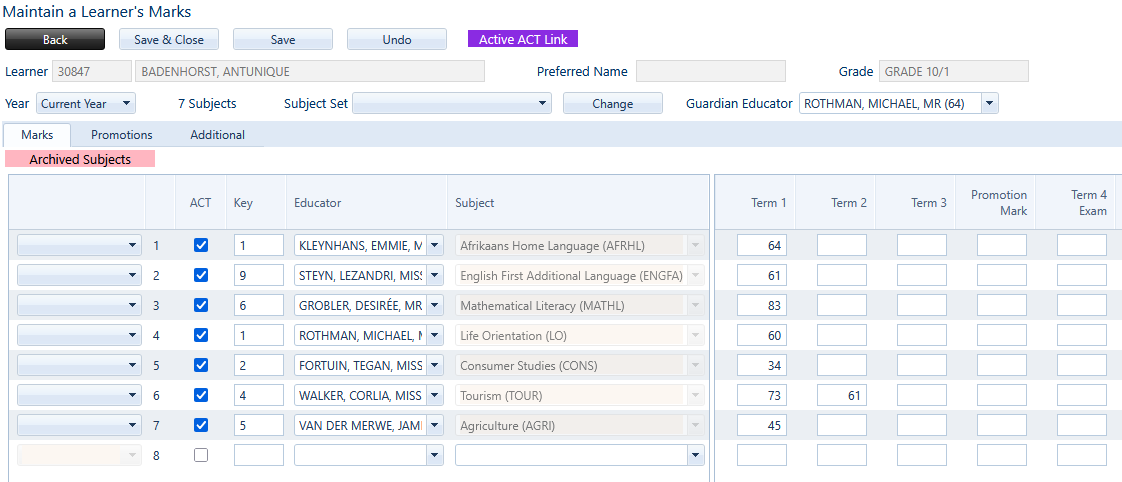
Screenshot of a school management system interface showing student records for maintaining learner's marks, including subjects, grades, and educator details.
A screen displaying a table of numerical symbols with columns labeled 'Symbol', 'From', and 'To', and options for saving, undoing, and copying, with grade selection set to 8.

Assign Educators to teach certain subjects with a simple dropdown.
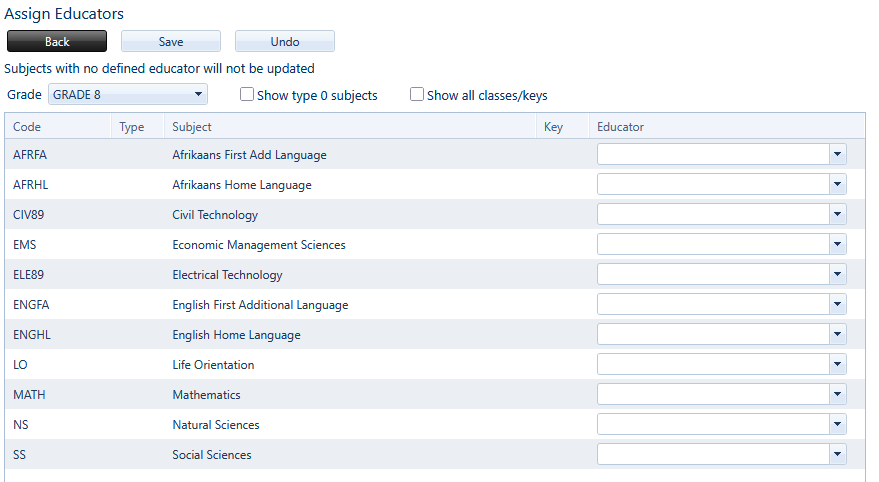
A digital screenshot of an educator assignment interface for Grade 8 subjects, with dropdown menus for subject codes, types, and educators, including sections for language, technology, sciences, mathematics, and social sciences.

Create, upload and send your customized Progress Reports to parents.
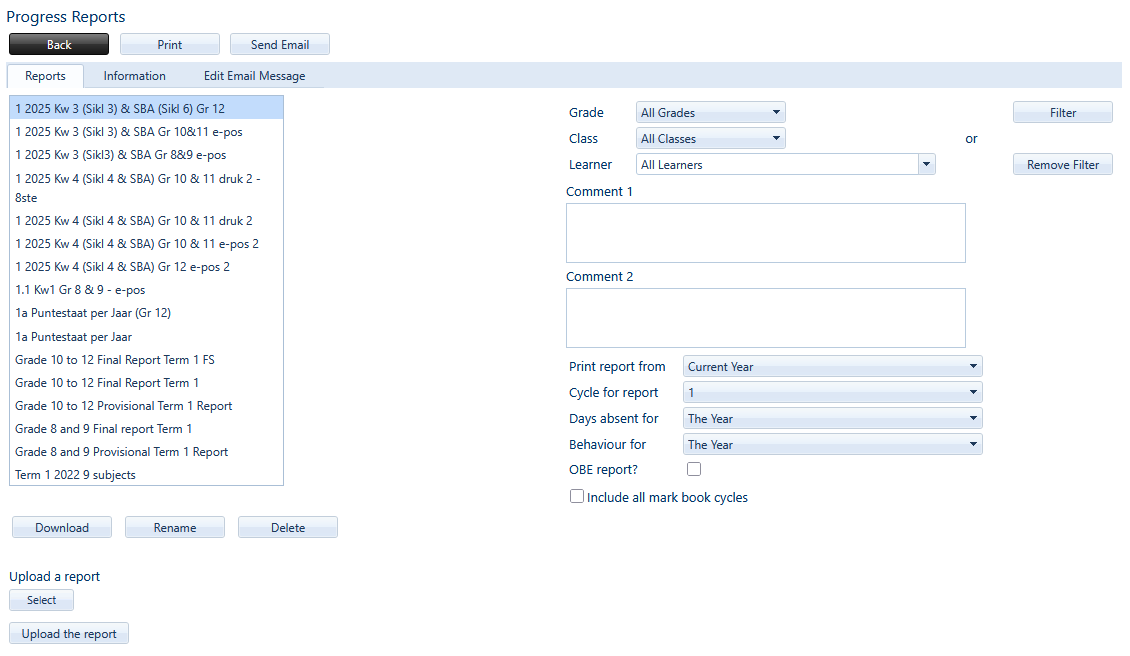
Educational report management interface with options for printing, emailing, filtering, downloading, renaming, deleting, and uploading reports. Create various academic reports and filters by grade, class, learner, or report cycle.